How AI Fits into the SOLIDWORKS Workflow: An Engineer's Practical Guide
View live original ↗ · Hawk Ridge Systems
Curious about the practical ways AI is currently integrated into the SOLIDWORKS ecosystem and what engineers can realistically use today?
Two of our engineers right here at Hawk Ridge Systems dig into how to get the most out of the built-in AI assistant in SOLIDWORKS (AURA) and complement your workflows with enterprise-grade LLMs. This wasn't a prompt-engineering class — just two engineers showing practical AI & SOLIDWORKS workflows.
Real AI/SOLIDWORKS Workflows – GPT + SOLIDWORKS + xDesign: Prosthetic Leg Design Example
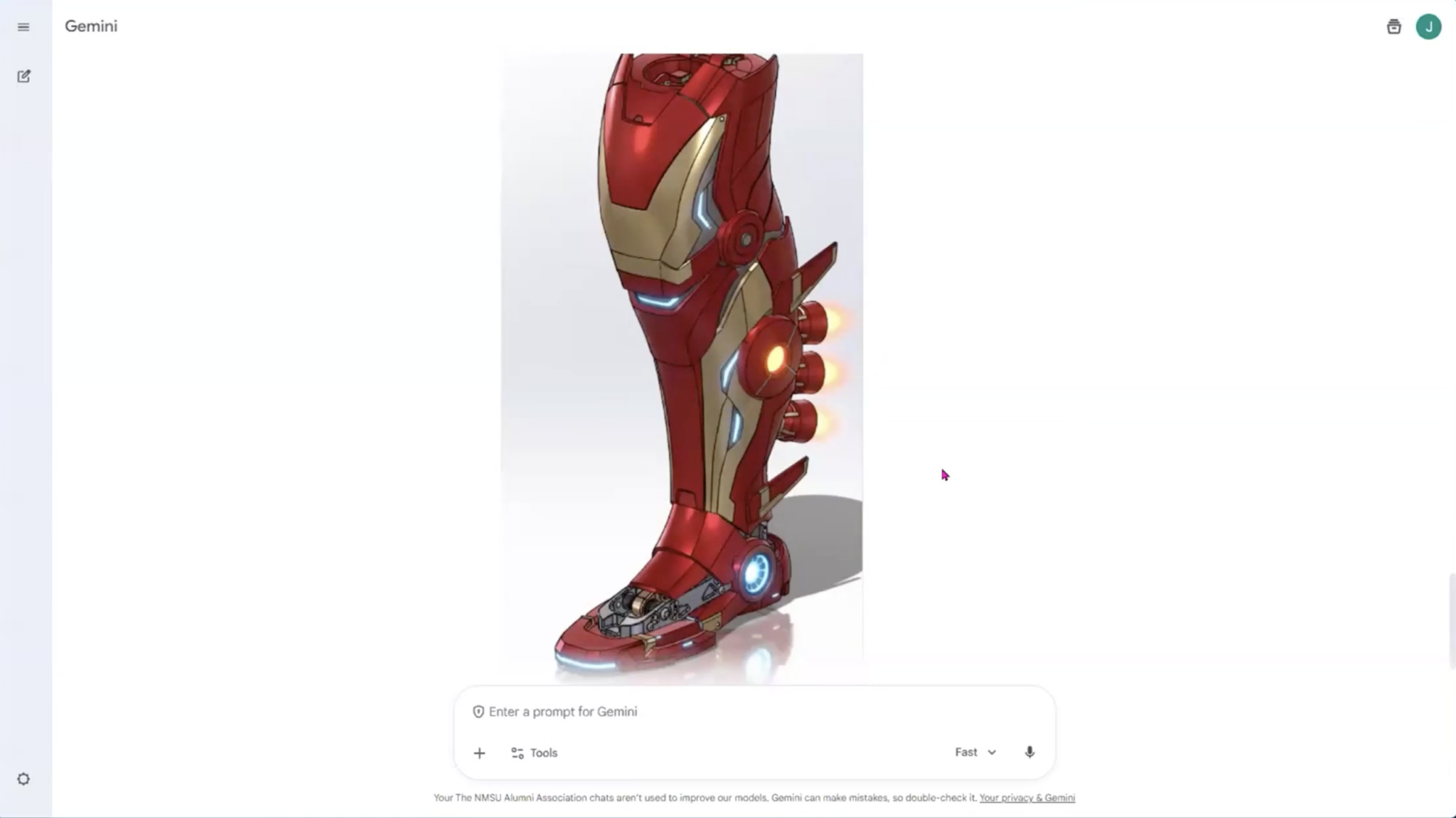
In one example, engineers Scott Woods and Joseph McDiarmid show how to leverage ChatGPT, SOLIDWORKS, and xDesign with xShape to organically sculpt a cover for a prosthetic leg (Moto Knee) while accommodating the mechanics.
1. Started in SOLIDWORKS for mechanical design.
2. Used ChatGPT to quickly generate realistic renderings for customer feedback.
3. Imported point cloud data and used xDesign with xShape to create a cover that matches the scanned leg while accommodating the mechanics.
4. Brought the final shape back into SOLIDWORKS for detailing, simulation, and manufacturing prep.
Why AURA AI Assistant is Different Than Mainstream LLMs and Other AI Assistants
Aura Design Assistant (Beta AI in SOLIDWORKS) is a controlled, reliable AI chatbot limited to official SOLIDWORKS help files and user forums – not trained on the entire internet.
Unlike other sources, it's not prone to hallucination and doesn't pull from generally publicly available data from the web (often from unreliable sources). In-App assistance through AURA AI gives you accurate, quick, and trustworthy answers to SOLIDWORKS-specific questions.
AI and Automation Features to Leverage TODAY
The top AI-Related Features in SOLIDWORKS right now, according to engineers:
1. Automatic Hardware Mates: AI intelligently mates fasteners/hardware to holes.
2. Automatic Drawings (Beta; requires Cloud Services): Generates basic drawing views, dimensions, and sections automatically. Excellent for batch-starting hundreds of drawings (then clean up manually).
3. Topology Optimization in Simulation: "AI-adjacent." It generates optimized shapes that inform the final design.
AI & SOLIDWORKS: The Bottom Line
AI in SOLIDWORKS today is practical but still maturing — focused on productivity gains (faster mating, drawing starts, organic modeling, reliable help). Many features are "AI-adjacent" (intelligent automation) rather than fully generative AI.
Recommendation: Leverage controlled tools (Aura, Automatic Drawings) for reliability and general LLMs for creative/rapid ideation. Use paid/enterprise versions of general-purpose LLMs for proprietary data to protect IP.